






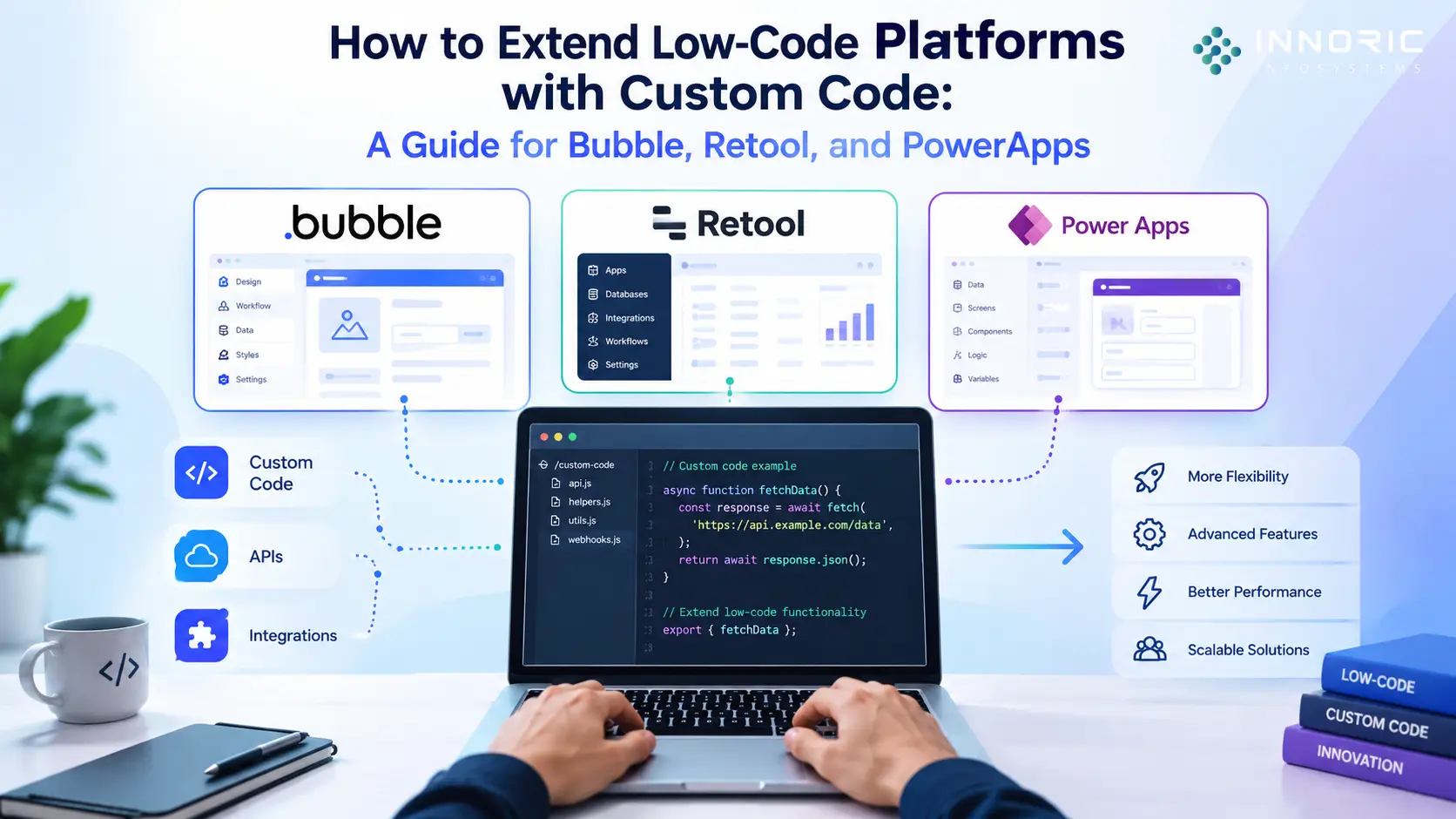
Low-code / no-code development platforms have revolutionized the way applications are built. Using such tools, engineering teams can rapidly produce functional UI prototypes and internal dashboards and develop MVPs of web apps at a breakneck pace.
The problem is that such platforms are not designed to scale. Most of the time, you cannot build production-grade systems in them using native tools and plugins. You always hit a wall when you need to start dealing with more complex data structures, logic, or processing power.
To build enterprise-grade platforms, you must embrace a hybrid approach and augment your low-code tools with custom code, webhooks, APIs, and other backend technologies.
In this guide, you will find technical details on how to connect your custom code to low-code platforms for a few of the most popular such tools.
Hybrid Architecture
You should understand how a hybrid low-code application is structured before you get into the specifics of working with individual platforms. The idea is simple: you should not connect your low-code application directly to databases or scripts that process information. Instead, you should place an API Gateway between your application and databases / processing scripts or use a standalone full-scale backend (built in Node.js, Go, or Python).
+-------------------------------------------------------+

|                 Low-Code Frontend                     |
|           (Bubble / Retool / PowerApps)               |
+---------------------------+---------------------------+
                            |
                     Secure HTTPS Call
                     (REST / GraphQL)
                            |
                            v
+---------------------------+---------------------------+

|                  Custom API Gateway                   |
|         (Node.js / Python Backend Framework)          |
+---------------------------+---------------------------+
                            |
            +---------------+---------------+

            |                               |
            v                               v
+-----------+-----------+       +-----------+-----------+

|  Enterprise Database  |       | Third-Party Legacy API|
|  (PostgreSQL / Mongo) |       |  (ERP / Custom CRM)   |
+-----------------------+       +-----------------------+
This separate layer ensures that demanding data parsing, cryptographic operations, and secret key exchanges take place within a secure cloud environment, keeping your low-code application lightweight and fast.
1. Extending Bubble with Custom Backends and Plugins
While Bubble is an exceptionally powerful platform for building customer-facing web apps, its visual workflow editor can become slow and unwieldy when dealing with high-complexity looping data sets or performing massive computational logic operations.
Method A: Bubble API Connector
Although Bubble is an exceptionally powerful platform for creating customer-facing web applications, its visual workflow editor may become slow and cumbersome when handling highly complex looping data sets or executing extensive computational logic operations.
1. The custom backend app should be designed with an enterprise-grade framework (i.e. Node.js / Express or Python / FastAPI).
2. The Bubble API Connector is initialized and a specific authorization protocol is chosen (i.e. JSON Web Tokens (JWT) or Private API Keys).
3. The data type is set to either Action (to perform an operation) or Data (to dynamically populate Repeating Groups).
4. The heavy lifting computations (i.e. generating complex PDF invoices or parsing large JSON files) are delegated to an external server which outputs a clean dataset back to the Bubble.
Method B: Creating Custom JavaScript Plugins
In some cases, custom applications require unique frontend behaviors that are not available in the Bubble platform. This could include a proprietary chart layout or a biometric login UI. In such cases, one can write raw code directly in the Bubble’s developer portal:
- • In the Bubble Plugin Editor, create a private plugin
- • Then write the custom HTML, CSS, and JavaScript code inside the element settings
- • Finally, use the (instance.publishState) function to feed the application data generated by the custom JS code back into the Bubble’s visual workflow canvas.
2. Supercharging Retool with Custom Scripts and APIs
Retool is the industry favorite when it comes to building internal operational dashboards. Since Retool is a native developer tool, extending it with custom code is a piece of cake.
Method A: Advanced JavaScript Queries and Transformers
Retool offers advanced JavaScript querying and transformative options that allow developers to write scripts in the application IDE to manipulate the UI data elements directly:
• Transformers are pieces of JavaScript code that let you perform various operations on the UI tables (such as mapping, filtering, or cleaning) before the data is displayed. They can include regular JS methods (.map), .reduce()) or custom database query functions.
• JS Queries allow for executing complex sets of operations right in the UI by clicking a button. Multiple SQL or REST queries can be chained one after another, and developers can add conditional branching logic. JS Queries also support showing custom success or error modals with the help of the (utils.showNotification) method.
Method B: Building Custom Component Libraries
When the default Retool components do not satisfy the application requirements, it is possible to build custom components with the help of modern frontend frameworks like React:
1. The custom React component is first built with the help of the Retool CLI tools
2. Then, it is embedded directly into the Retool application via an iframe or application hosting
3. The Retool app and the custom React component communicate with each other via the (window.Retool.subscribe) and (window.Retool.modelUpdate) methods.
3. Enhancing Microsoft PowerApps with Custom Connectors
Microsoft PowerApps is tightly integrated with the corporate ecosystem. To connect PowerApps with a number of proprietary internal or external systems not included in the default Microsoft 365 catalog, it is necessary to build a custom bridge.
Method A: Building Custom Connectors via OpenAPI (Swagger)
Microsoft PowerApps provides native compatibility with external web services via the PowerApps Custom Connectors framework. This involves the following steps:
- A custom backend application is built and deployed to either AWS or Azure App Services
- An OpenAPI 2.0 or 3.0 (Swagger) specification file is generated with all the available APIs listed
- The Swagger file is uploaded to the PowerApps maker portal (Data > Custom Connectors)
- Once all the endpoints are discovered, the custom code is used as a regular PowerApps data source, which can be queried directly in the PowerFX formulas.
Method B: Power Apps Component Framework (PCF)
For complex changes to the Model-Driven or Canvas apps, developers can utilize the Power Apps Component Framework (PCF). It is a set of TypeScript / React-based tools that allow building custom components for Model-Driven apps, which natively compile into the solution. PCF provides access to device-level APIs such as hardware sensors and cameras, as well as advanced visualization canvases.
Method B: Creating Custom JavaScript Plugins
- Go to the Bubble Plugin Editor and create a private plugin.
- Write custom HTML, CSS, and JavaScript inside the element settings.
- Utilize the
instance.publishState()function to pass data generated by your custom JS code back into Bubble’s visual workflow canvas.
Platform Integration Comparison Matrix
| Platform | Best Method for Logic Extension | Custom Frontend Language | Primary Use Case |
|---|---|---|---|
| Bubble | API Connector & Private Plugins | JavaScript / HTML / CSS | B2C/B2B Web Applications |
| Retool | JS Queries & REST/GraphQL Integrations | JavaScript / React | Internal Dashboards & Ops Tools |
| PowerApps | OpenAPI Custom Connectors & Azure Functions | TypeScript / React / PowerFX | Enterprise Internal Workflows |
Architectural Best Practices
When developing hybrid applications that integrate a custom codebase with low-code tools, three engineering best practices help maintain technical integrity:
1. Always proxy production-grade API keys and passwords from the low-code browser client to a secure server API, which handles end-to-end encryption and authentication
2. Low-code platforms may become unresponsive or crash when handling large data volumes, so configure your custom API to use pagination and optimize database queries with sorting and filtering to return only records that can be displayed immediately.
3. Implement end-to-end logging infrastructure (i.e. Datadog or LogRocket) on your custom API endpoints to ensure you can easily identify if production issues originate from the low-code interface or your custom code
Technical FAQ
Q1: Doesn’t custom code development kill the main value proposition of using a low-code platform? Once I start developing my own API, won’t my application lose all the efficiency gains of using a visual builder?
A1: Quite the opposite – custom code development actually preserves low-code development’s efficiency gains by letting you quickly build out frequently-needed UI elements (e.g. side navigation bars, user profiles, and basic forms) while reserving your most talented engineers for building your product’s unique algorithms and internal systems.
Q2: How can I perform database migrations in a low-code environment?
A2: It depends on the low-code platform, but for Retool and PowerApps, you’ll be connecting to an external database (PostgreSQL, etc.) and will be able to run standard migrations. For Bubble’s native database, use the official Bubble SQL Database Connector to read from and write to an external relational database, providing complete control over migrations.
Q3: Are there any performance or API limitations I should know about?
A3: Yes – each low-code platform has its own limits for capacity-sufficient applications. Bubble measures script execution time in milliseconds, while PowerApps has a built-in limit for how many Dataverse API calls your application can make per day. Custom backend development can address these limitations by implementing aggressive caching (Redis, etc.)
🚀 Scaling Low-Code Infrastructure
Don’t let low-code infrastructure limitations stop your business’s growth – our team of full-stack engineers can help design and implement secure, high-performance API infrastructure, enterprise-grade custom code integrations, and performance plugins for your low-code application.
Book an Infrastructure Optimization Consultation with our technical architects today!